Add Document Scanning to your mobile application with ease
Create apps that turn users' smartphones into high-quality paper scanners with Document Scanner SDK
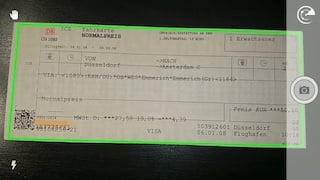
Document Scanner SDK: Features & Benefits
Royalty-Free Licensing
Royalty-free licensing with a fixed annual fee. No limits on users, installations, or scans.
Complete On-Device Security
Processing is fully offline, with no server uploads or tracking, and compliant with GDPR and CCPA.
Faster Integration
Drop in ready-to-use, customizable UI components for common scanning flows, and cut development time and cost.
Real-Time Smart Assistance
Real-time, on-screen feedback helps users avoid common mistakes like bad framing or poor lighting.
Instant High-Quality Results
Convert paper documents into clear digital files automatically, with no manual processing.
Advanced OCR Capabilities
Recognize text in 100+ languages, processed entirely on the device. Export as a searchable ("sandwiched") PDF or plain text.
Supported OS & Frameworks



Over 100 Apps Enhanced with Pixelnetica™ SDK
Join the growing number of businesses enhancing their mobile applications with the Pixelnetica™ Document Scanning SDK. Easily integrate advanced scanning capabilities into your mobile, desktop, or server applications and utilize device cameras as reliable document capture tools.
Learn more about mobile document capture






Flexible Licensing
Take advantage of our simple, royalty-free licensing—ideal for projects of any scale. Enjoy unlimited users, installations, and scans without extra fees.
Document Scanner SDK Frequently Asked Questions
The Pixelnetica Document Scanner Software Development Kit (DSSDK) is a toolkit that turns any smartphone or tablet into a document scanner. Using computer vision, it produces high-quality scans optimized for automated processing.
Key features include:
- Automatic document capture with interactive user guidance.
- Automatic orientation detection, rotation, cropping, and advanced color conversion (binarization).
- Optical Character Recognition (OCR) support for over 100 languages.
- Exporting capabilities in various formats including images, text, or layered PDF with sophisticated compression techniques.
These functions come as ready-to-use UI components. DSSDK runs entirely offline, so document data stays on the device.
Today, almost every user carries a camera-enabled mobile device, such as a smartphone or tablet. Mobile document scanning software uses these devices to deliver scans comparable to traditional hardware scanners. Mobile scanning software is always readily available, eliminating the expense and inconvenience of purchasing dedicated scanning hardware. Furthermore, data captured this way can be fed into corporate back-end systems, improving workflow.
Choosing the right document scanning software should primarily focus on generating high-quality scans compatible with your corporate systems. Key considerations include:
- Quality: The software should reliably produce crisp, clear, and legible scans, even under challenging lighting conditions or when dealing with poor-quality originals.
- Compatibility: Check that the software integrates with your existing development platforms, frameworks, and tools.
- Features: Beyond basic scanning capabilities, consider advanced features for your specific needs, such as customized document formats, adaptive color profiles (color, grayscale, black-and-white), and export options including JPEG, PNG, TIFF, and advanced PDF formats with text layers.
- Security: With increasing regulatory requirements (GDPR, CCPA), software must securely handle data. DSSDK, for instance, does all processing on-device and offline, which maintains compliance with strict security standards.
- Pricing: Transparent, predictable, and scalable pricing models are essential. DSSDK offers a royalty-free licensing model with a fixed annual fee, unlimited usage, and no user, installation, or scan limitations.
Free Trial Available
Experience the full power of the SDK with our risk-free trial. Access complete documentation, detailed guides, and sample source code.
Start Your Free Trial